

Make experience legible
The Workflow Atlas maps phases, methods, and examples across projects, making it easy to understand where and how specific design methods were applied.
Portfolio System
Designed and built a portfolio system that proves my process through real, structured examples
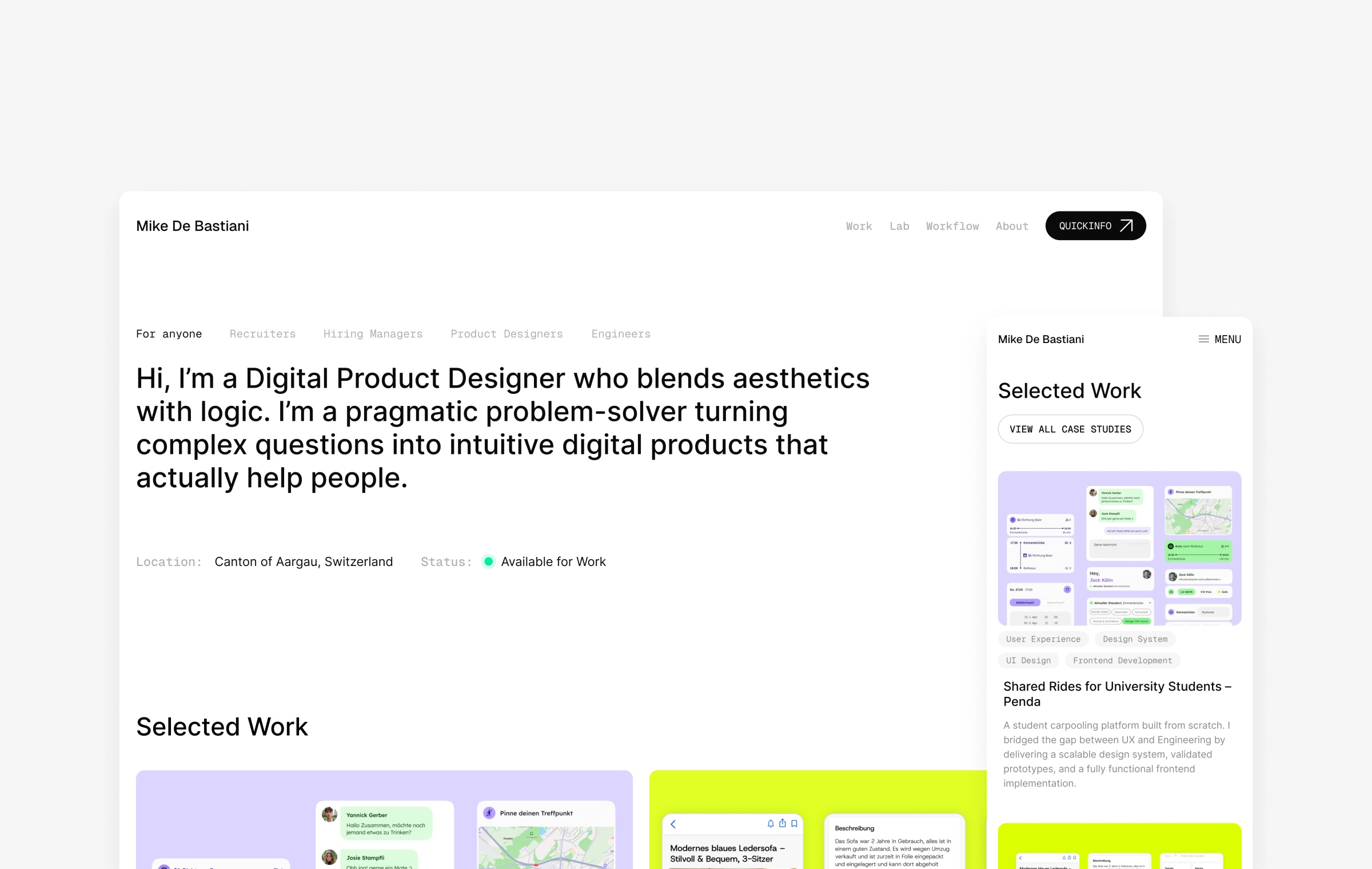
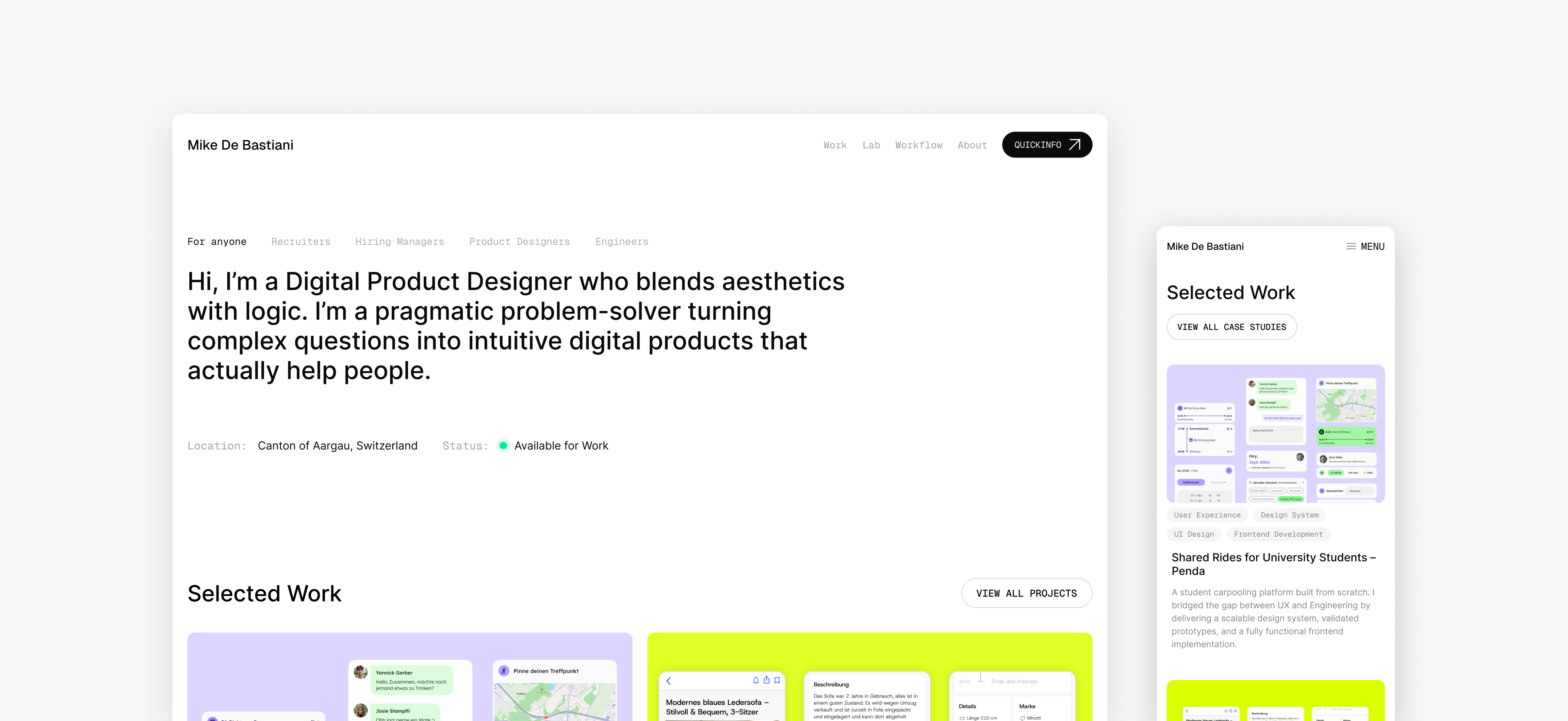
I designed and built a CMS-driven portfolio website to make my work easier to scan for recruiters and deeper to explore for hiring teams. The core feature is the Workflow Atlas: an interactive map connecting 6 phases, 31 methods, and 121+ application examples across 12 projects. I validated the concept through concept testing with 5 people and iterated the content model afterwards. The site is designed for long-term maintainability through modular CMS blocks and built with strong performance goals, achieving PageSpeed Insights scores up to 98 Performance, 93 Accessibility, 100 Best Practices, and 100 SEO on the homepage.
Role
Product Designer & Developer
Context
My own portfolio
Timeline
16 weeks in 2026
Team
Solo Project
Outcome
Live portfolio website
Design work isn’t only the final UI – it’s the framing, research inputs, synthesis, choices, and iterations behind it. But in many junior product design portfolios, that trail is hard to follow. The work may look polished, yet it’s often unclear which areas and methods the designer has actually practiced across projects. Without a structured way to connect methods and decisions to real examples, the story stays abstract and reviewers can’t assess depth with confidence.
«I wanted to make my experience traceable: not just what I built, but where I’ve applied specific methods in real projects.»
I set out to design a portfolio system that works for fast scanning and deeper evaluation. The solution needed to make my process evidence explicit, stay easy to update through a CMS, and meet a high quality bar across responsiveness, accessibility, SEO, and performance. Because this was a solo project, I defined an MVP first and expanded the system in iterations.
I set out to design a portfolio system that works for fast scanning and deeper evaluation. The solution needed to make my process evidence explicit, stay easy to update through a CMS, and meet a high quality bar across responsiveness, accessibility, SEO, and performance. Because this was a solo project, I defined an MVP first and expanded the system in iterations.
«How might I combine clear case studies with a structured overview that makes my experience across the design workflow visible and verifiable?»
Make experience legible
Clarify where I have depth across product design areas and methods.
Prove process, not just outcomes
Connect decisions and methods to real examples.
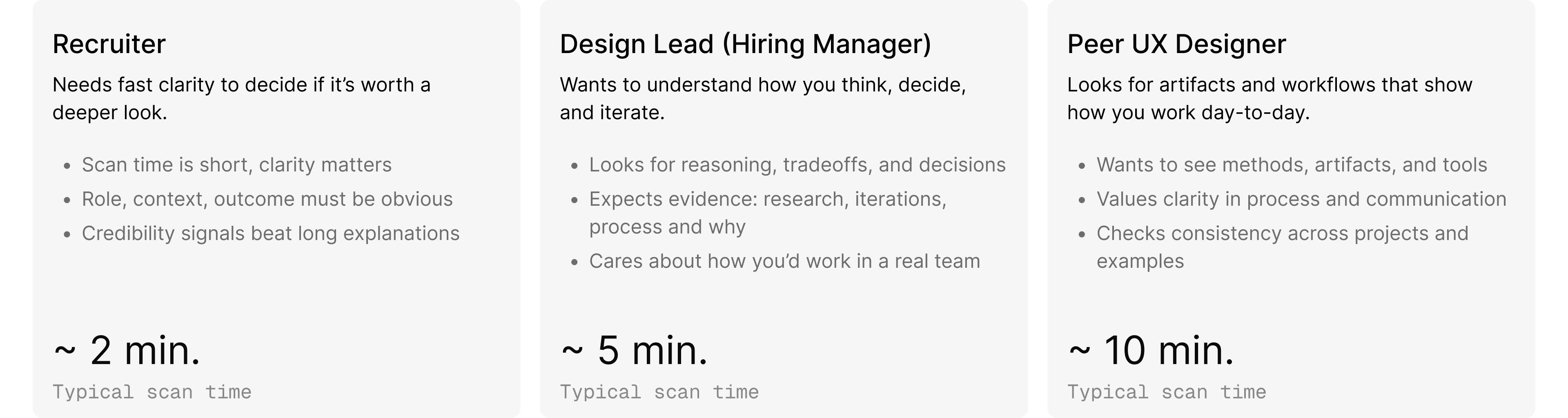
Support multiple audiences
Quick scan for recruiters, depth for hiring managers, artifacts for peers.
CMS-first maintenance
Add and reorder case study content without touching code.
Quality baseline
Responsive layouts, accessible patterns, SEO-ready structure, strong performance.
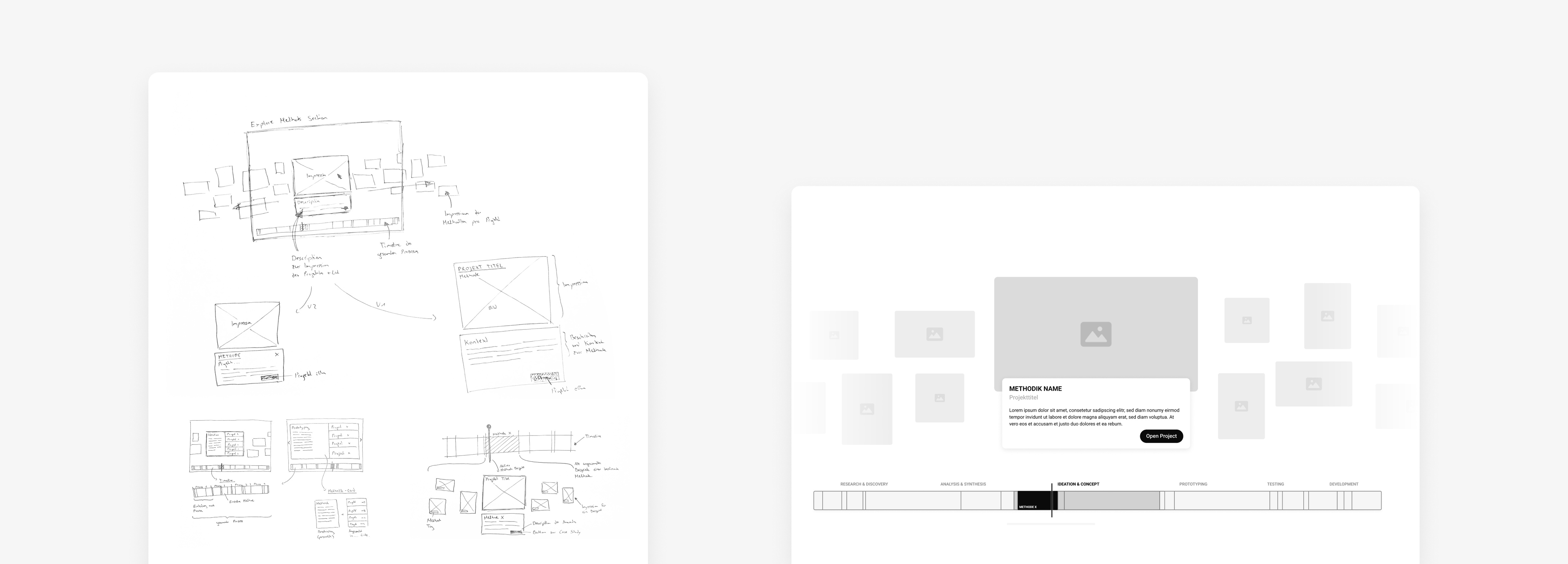
Based on the research insights, I explored ways to make my experience visible across phases and methods – not just within individual case studies. I started with quick hand sketches to test different structures and interaction ideas, then moved into Figma to iterate on a few directions with clearer layout, hierarchy, and content framing. The goal in this phase was to find a concept that stays scannable at first glance, but allows deeper exploration of method evidence when needed.
Before committing to a final design, I first structured my portfolio projects as a dataset. I created a CSV where methods were listed chronologically by phase in the columns, and each row represented one of my potential portfolio projects. For every project, I marked which methods I had applied to build a clear overview of real application examples across my work. Using this dataset, I then built a simple interactive D3 code prototype to test whether the Workflow Atlas concept actually holds up with real data – not just as an abstract idea.
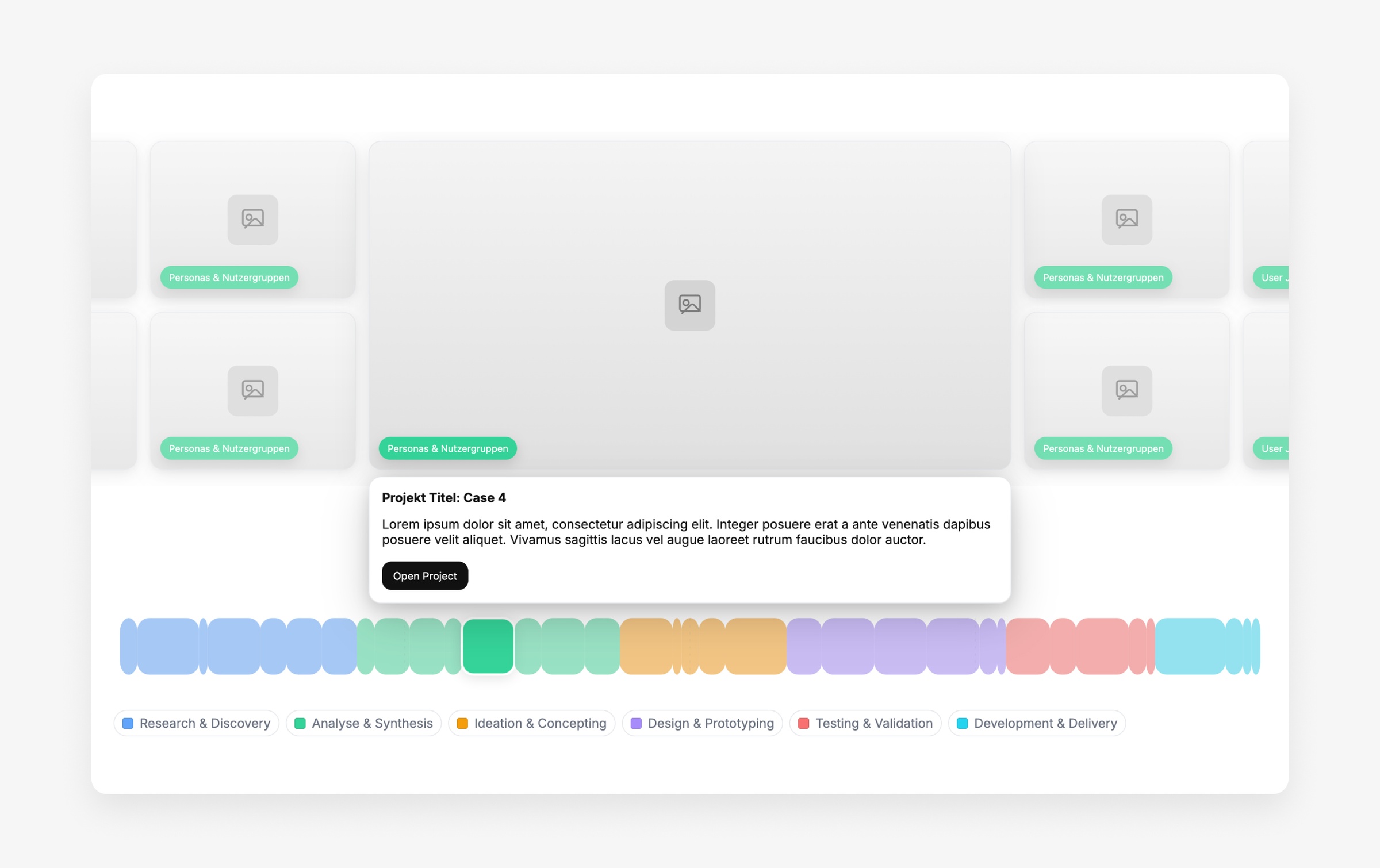
Once the concept worked with real data, I validated whether it was actually understandable to others. I ran a lightweight concept test with 5 people – 3 with a UX background and 2 without – to check if the Workflow Atlas model, navigation, and “Impressions” interaction were intuitive without additional explanation. The goal wasn’t to prove perfect usability at this stage, but to confirm comprehension, uncover confusion early, and identify what needed clearer structure before moving into the final design and implementation.
Key findings
Comprehension
All participants understood the concept quickly, including those without a UX background.
Interaction model
The “video scrubber” analogy made navigation feel familiar and intuitive.
Error tolerance
Misclicks were low-risk because they only switched phases or opened an impression.
Open issue
The expanded impression detail view needs a clearer content model to communicate the right information efficiently.
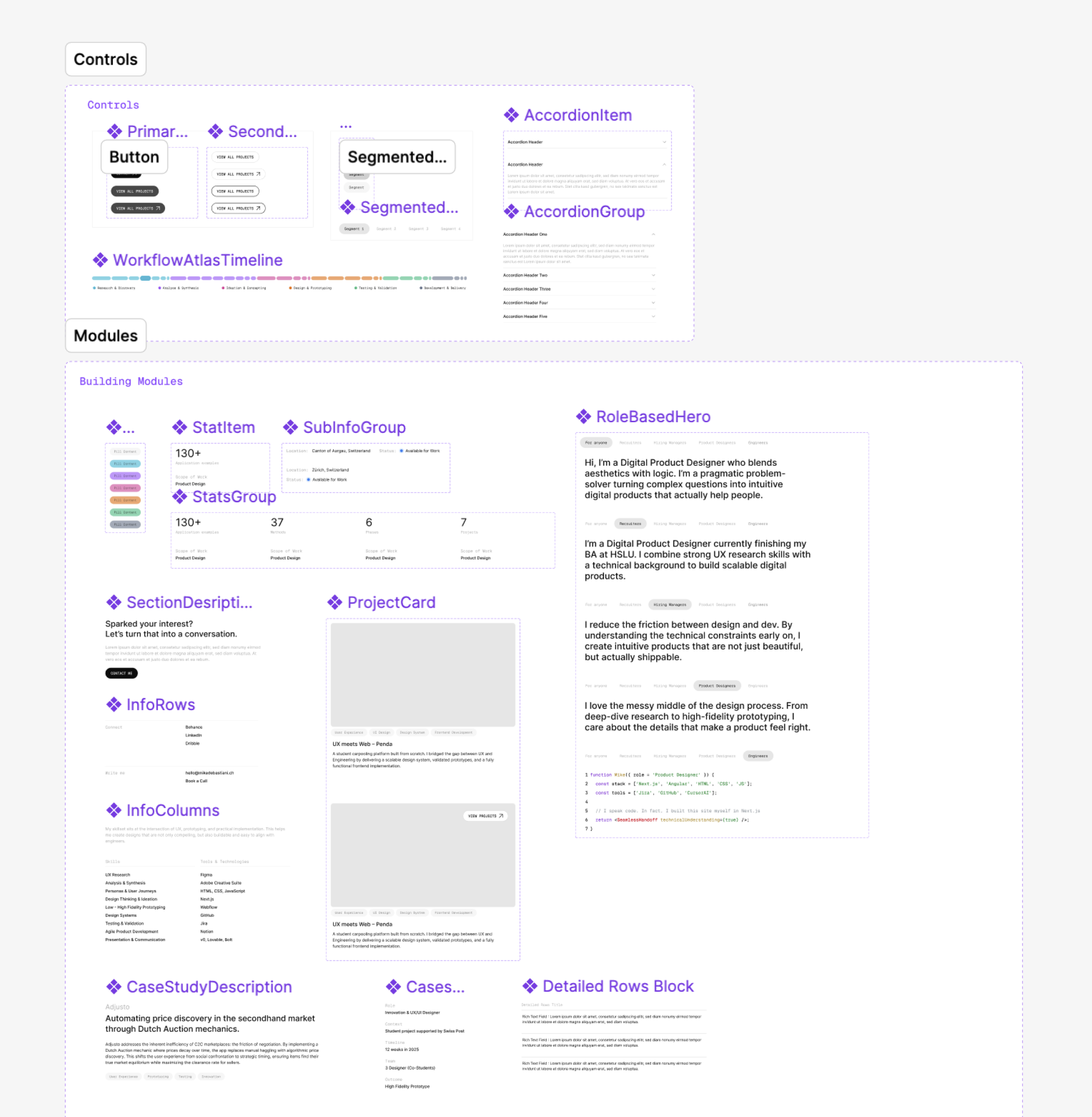
I designed a minimal, timeless interface so the portfolio never competes with the case study content. A strict grid, clear typographic roles, and a mostly grayscale palette create consistency across pages and CMS blocks. Colour is used only where it carries meaning. It codes the phases inside the Workflow Atlas, so visual accents stay functional rather than decorative.
Grid
Fixed column grids across breakpoints keep layouts consistent and responsive.
Typography
Geist for content, Geist Mono for UI labels to separate reading from interface.
Colour
Mostly grayscale to avoid competing with content, accents only for Workflow Atlas phase coding.
Tokens
Tailwind-aligned spacing, sizing, and radius for design–code consistency.
Components
Atomic component structure to keep design and frontend implementation aligned and reusable.
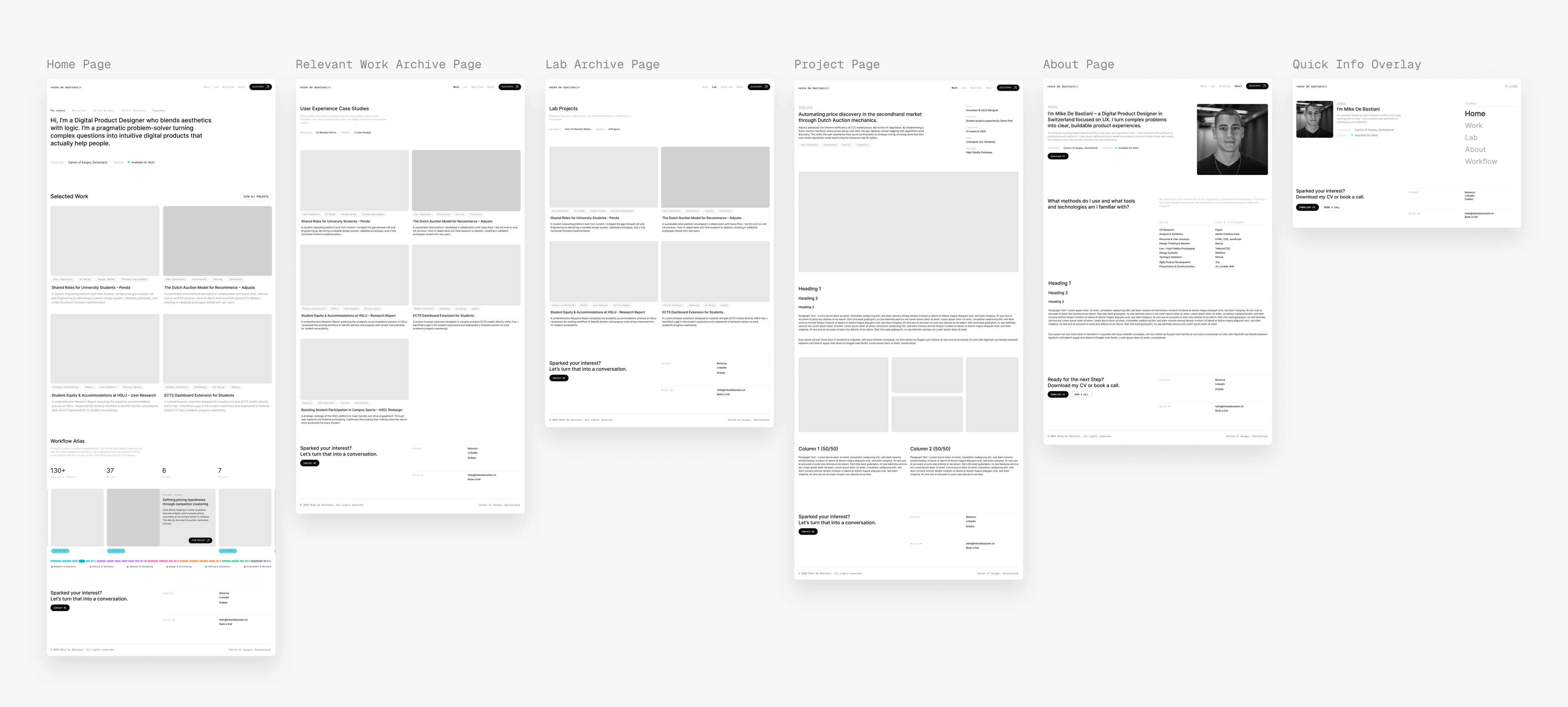
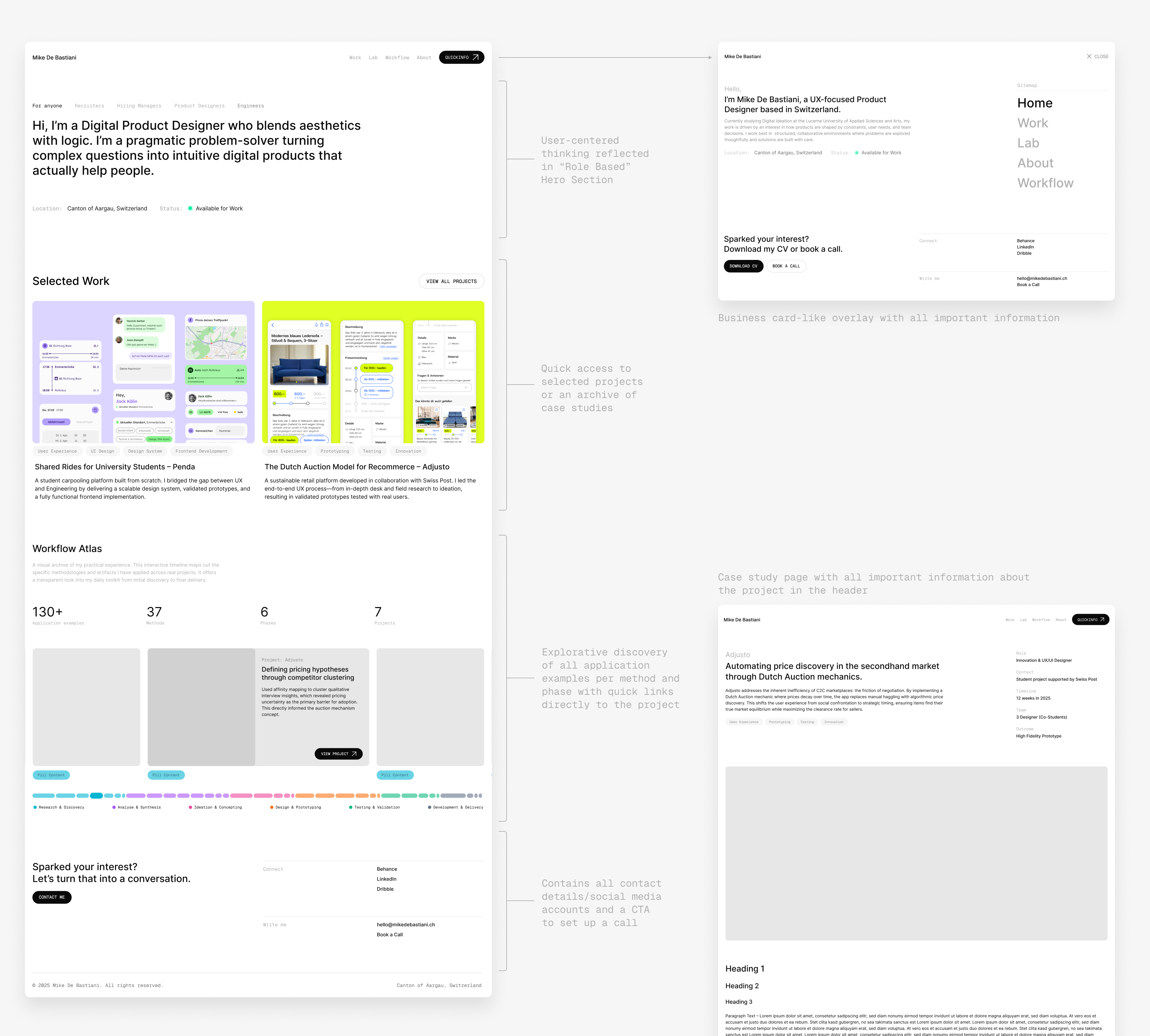
I structured the portfolio so reviewers can understand my work quickly, then choose where to go deeper. The IA separates curated highlights from full archives, keeps UX work distinct from experiments, and uses a consistent case study template so projects are easy to compare. This structure also supports my CMS approach: content can grow without breaking navigation clarity.
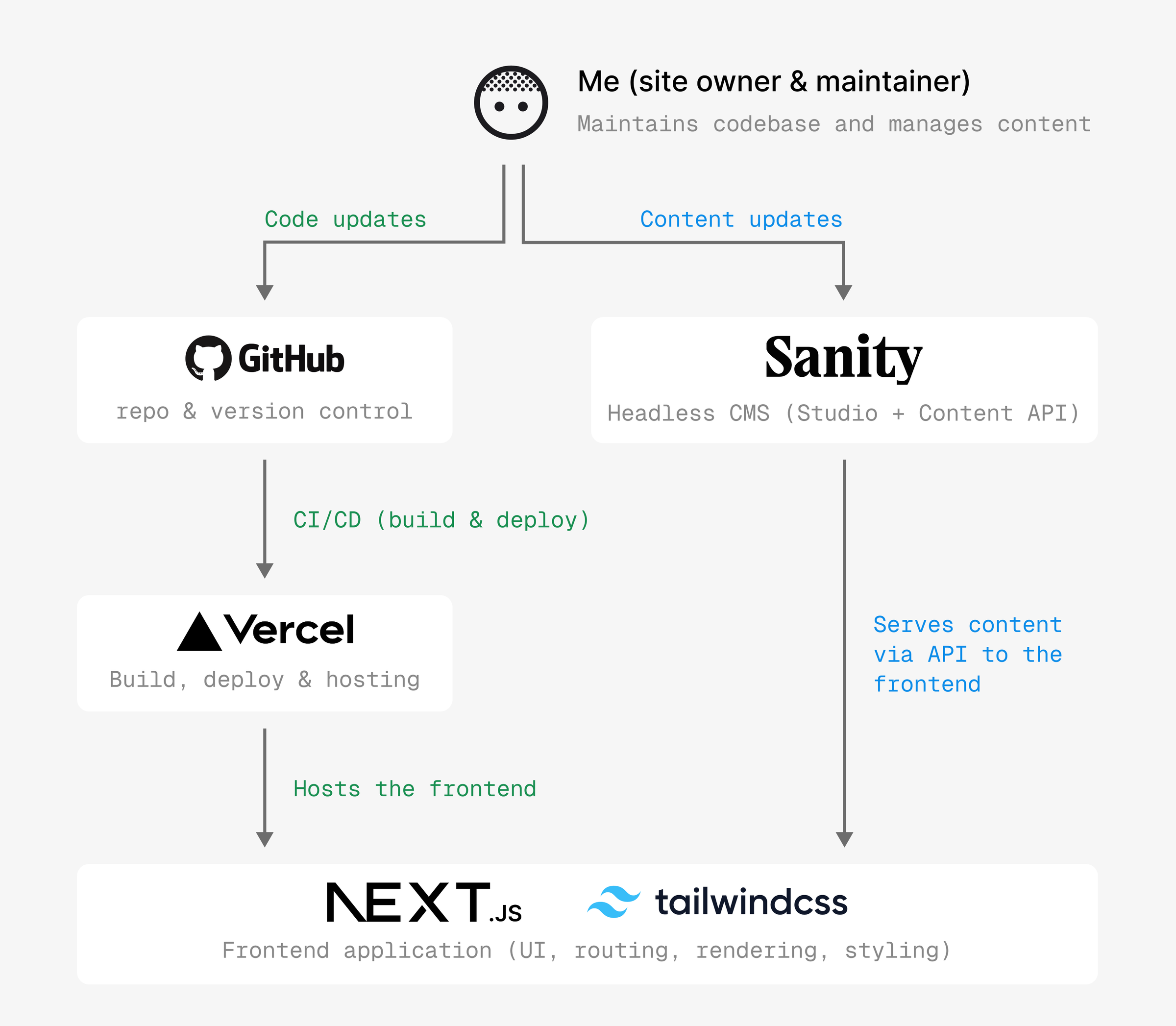
I implemented the portfolio as a scalable system, not a set of static pages. The frontend is built with Next.js and Tailwind, while Sanity powers a structured content model for projects, the Workflow Atlas, and reusable case study blocks. This setup lets me add and update content fast, keep layouts consistent across breakpoints, and evolve the portfolio without redesigning or recoding each page.
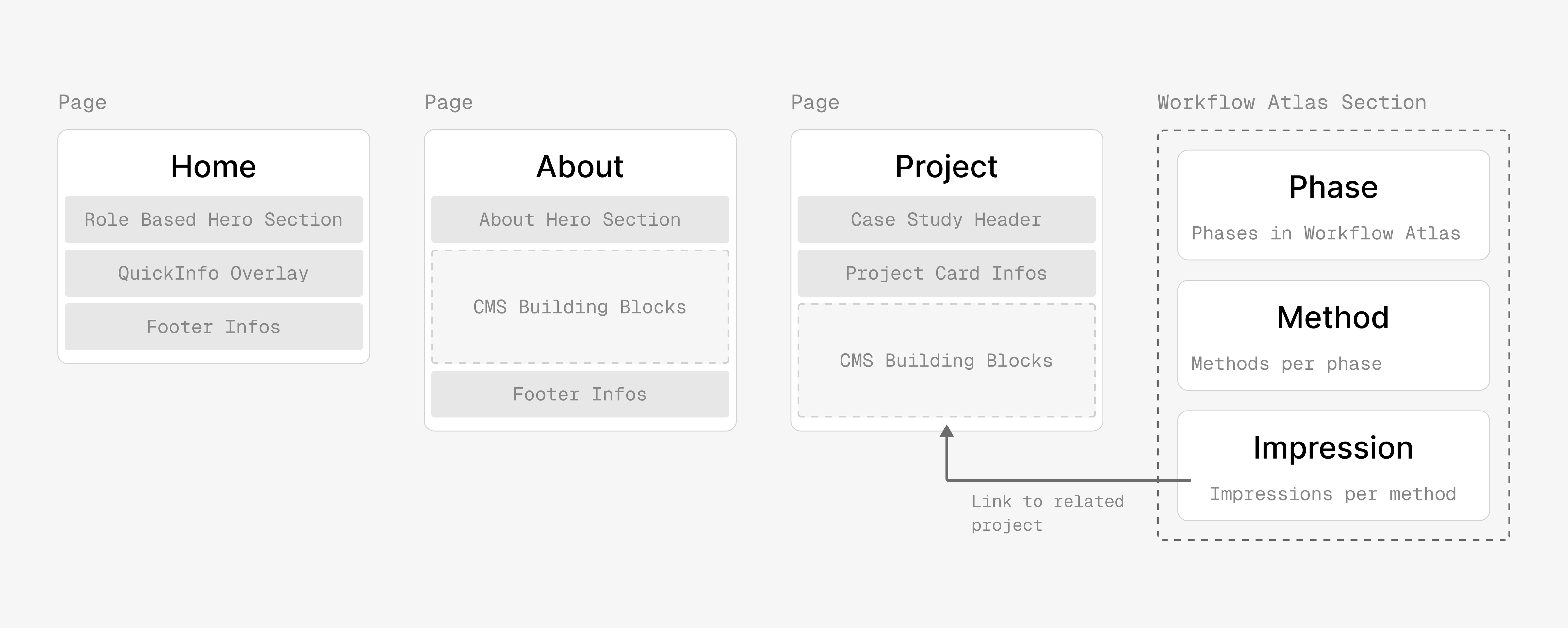
The portfolio uses a modular CMS architecture based on structured content types. Core page types such as Home, About, and Project define the layout, while reusable content blocks enable flexible page composition. Workflow Atlas entities such as phases, methods, and impressions are modeled separately and linked to projects through relational data, allowing dynamic updates and reuse across the system.
The project resulted in a functional portfolio system combining structured case studies with an interactive overview of real design experience. The Workflow Atlas connects phases, methods, and project examples, making applied skills easier to explore and verify. A modular CMS and modern frontend stack ensure the site remains maintainable, scalable, and performant as new projects and content are added over time.
Make experience legible
The Workflow Atlas maps phases, methods, and examples across projects, making it easy to understand where and how specific design methods were applied.
Prove process, not just outcomes
Each impression links methods and artifacts to real project contexts, connecting decisions and design activities to concrete examples.
Support multiple audiences
Clear headers support quick recruiter scans, structured case studies show reasoning for hiring managers, and artifacts enable deeper peer exploration.
CMS-first maintenance
Structured page types and modular CMS blocks allow case studies and Workflow Atlas entries to be added or updated without code changes.
Quality baseline
Responsive layouts, accessible patterns, and strong PageSpeed scores (≈95) ensure a fast, reliable experience across devices and review contexts.
Designing and building this portfolio system was both a design and engineering challenge. The goal was not only to present projects, but to create a structure that makes design experience transparent and explorable. Working across concept design, interaction design, frontend implementation, and CMS modelling required thinking about the portfolio as a system rather than a set of pages. The process reinforced how closely design decisions, technical constraints, and information architecture are connected when building real digital products.
Strong concepts must work with real data
The Workflow Atlas only became meaningful once it was tested with real project data. Turning my portfolio work into a structured dataset helped reveal whether the concept could scale beyond sketches and prototypes.
System thinking enables long-term flexibility
Designing the CMS structure and component architecture early made it possible to treat the portfolio as a scalable system. New case studies and Workflow Atlas entries can now be added without restructuring the site.
Implementation exposes real design constraints
Building the system end-to-end revealed challenges that are not visible in design tools alone. Responsive behavior, component interactions, and performance considerations required multiple iterations to achieve a reliable and usable result.
A focused snapshot of the methods behind this project. This condensed Workflow Atlas highlights only the phases and techniques applied here, showing the key artifacts and decisions that shaped the outcome.


